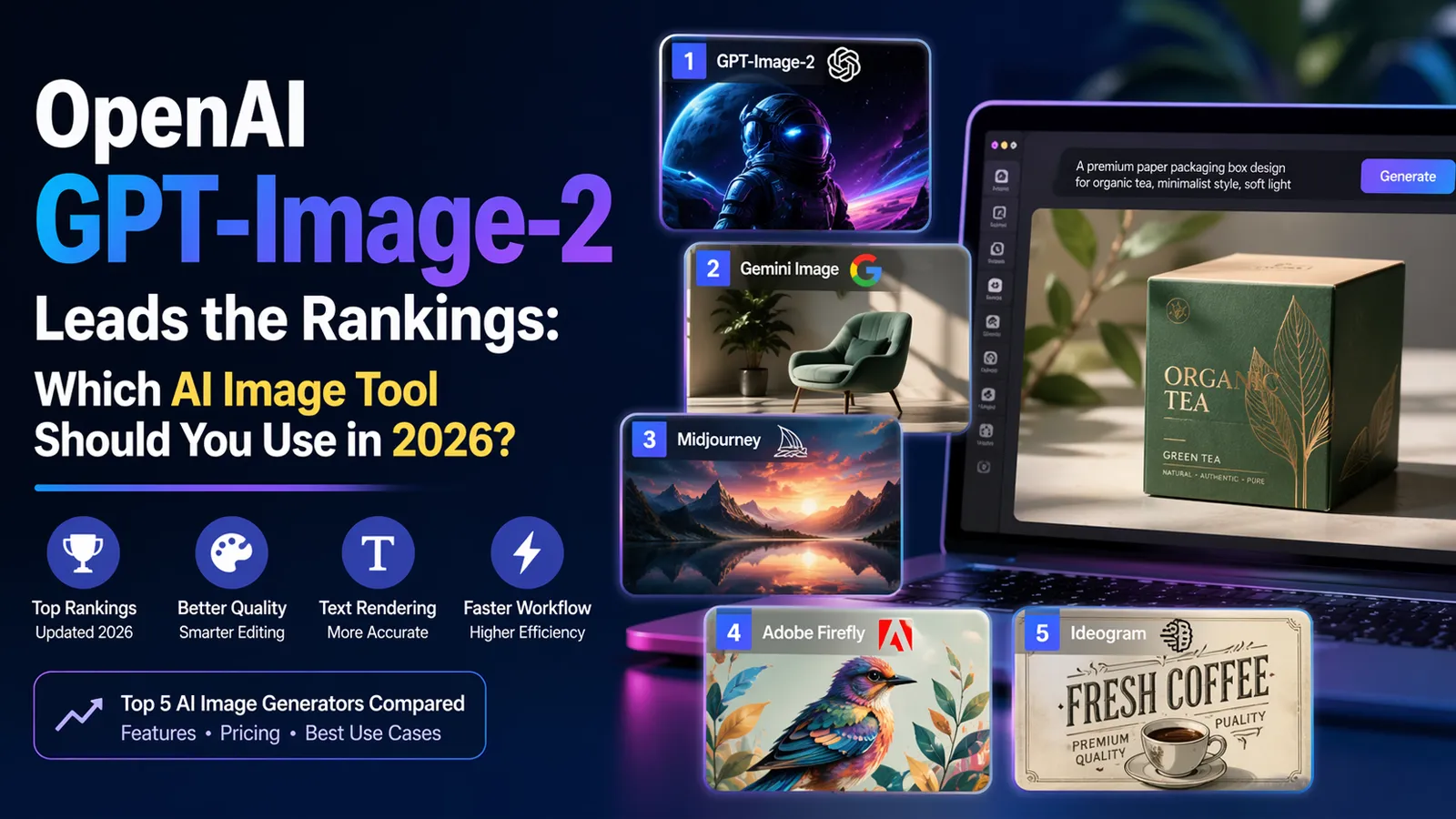
AI image tools feel different in 2026. The change is not only about prettier pictures. The real upgrade is better text rendering, better editing, better layout control, and faster iteration. That matters a lot for designers who work on packaging mockups, paper bag concepts, box visuals, marketing graphics, inserts, cards, and social creatives. In Arena AI’s latest public text-to-image leaderboard, OpenAI’s gpt-image-2 sits at the top. But a leaderboard alone does not tell you which tool fits real design work every day.
The better question is this: which AI image tool helps you move faster without making your workflow messier? Some tools are better for typography. Some are better for product mockups. Some are better for moodboards. Some are stronger when you need safer commercial positioning or smoother handoff into print and Adobe workflows.
What changed in 2026, and why designers care
This year’s upgrades are easy to see. OpenAI’s ChatGPT Images 2.0 launch highlights better precision and control, stronger multilingual text rendering, brochure-style layouts, and even a print-ready bookmark example with bleed, trim, and safe-margin guides. Google’s newer Gemini image models now separate into a faster option for high-volume work and a more advanced option for professional-grade editing, mockups, and text-heavy design tasks. In plain language, the tools are getting better at following complex instructions instead of only making attractive but random images.
That shift is important for design teams. A year ago, many AI images still felt like rough inspiration. In 2026, the better tools can help with campaign concepts, shelf-ready mockups, surface pattern ideas, poster layouts, social ads, and early packaging direction. They still do not replace final prepress work, but they are much more useful at the concept and revision stage.
Current public ranking snapshot
Arena AI’s Text-to-Image Arena Overall page is one of the clearest public ranking references available right now. Its Apr. 19, 2026 snapshot shows 55 models and 4,894,371 votes. The current top five models are OpenAI gpt-image-2 (medium), Google gemini-3.1-flash-image-preview, Google gemini-3-pro-image-preview-2k, OpenAI gpt-image-1.5-high-fidelity, and Google gemini-3-pro-image-preview.
| Rank | Model | Company | Arena score | Votes | Quick note |
|---|---|---|---|---|---|
| 1 | gpt-image-2 (medium) | OpenAI | 1512±8 | 15,127 | Current public leader |
| 2 | gemini-3.1-flash-image-preview | 1270±5 | 51,886 | Fast image model | |
| 3 | gemini-3-pro-image-preview-2k | 1244±4 | 90,321 | Higher-fidelity Gemini variant | |
| 4 | gpt-image-1.5-high-fidelity | OpenAI | 1241±4 | 95,176 | Strong older OpenAI image model |
| 5 | gemini-3-pro-image-preview | 1232±5 | 82,636 | Pro image model |
One thing is worth noticing right away. This is a model leaderboard, not a clean “software app” ranking. That is why the same company appears more than once. It is useful as a quality snapshot, but it is not the same as a full workflow review.
How this article judges AI image tools
For daily design work, ranking is only part of the story. A good tool also needs to handle prompts clearly, edit images without breaking them, render text well, fit the budget, and work inside a real production flow.
For packaging and print-related design, a tool is more useful when it helps with product mockups, carton concepts, bag artwork, insert cards, display visuals, campaign graphics, and early layout direction. It becomes less useful when every result still needs heavy cleanup before a designer can move forward.
That is why the next section focuses on five practical tools, not just the five models at the top of one benchmark.
Top 5 AI image tools worth considering for real design work
1. OpenAI GPT-Image-2
OpenAI’s official model page calls GPT Image 2 its state-of-the-art image generation model. The new ChatGPT Images 2.0 release shows why: OpenAI is pushing it as a tool for stronger typography, more precise control, multilingual image text, brochure-style visual layouts, and print-oriented design examples. For designers, that makes it one of the strongest all-round choices right now. It is not only good at single hero images. It is also useful for layout-heavy visuals and concept work that mixes images and words.
Access is flexible. Web users can start with ChatGPT Plus at $20 per month. API users can buy usage instead. OpenAI’s API pricing page lists GPT-image-2 at $8 per 1M image input tokens, $2 per 1M cached image input tokens, and $30 per 1M image output tokens. That means it can fit both designer workflows and product teams building image tools into apps.
In practice, GPT-Image-2 is the best starting point for people who want one tool that does many things well. It is a strong pick for packaging concepts, ad visuals, branded mockups, presentation graphics, and text-heavy creative drafts.
2. Google Gemini Image
Google now has a two-level image story. Gemini 3.1 Flash Image Preview is the faster model. Google describes it as high-quality image generation and conversational editing at a mainstream price point and low latency. Gemini 3 Pro Image Preview is the more advanced option. Google says it is best for professional-grade image editing and generation, complex graphic design, high-fidelity product mockups, factual data visualizations, accurate text rendering, and real-world grounding through Google Search. That is a very direct signal to design users.
The pricing reflects that split. Google lists Flash Image Preview at about $0.045 per 0.5K image, $0.067 per 1K image, $0.101 per 2K image, and $0.151 per 4K image. Gemini 3 Pro Image Preview is priced higher, at about $0.134 per 1K or 2K image and $0.24 per 4K image. Google’s image generation guide also says Gemini can create and edit images conversationally, and that all generated images include a SynthID watermark.
For designers, Gemini makes the most sense in two cases. First, when speed matters and you want quick visual exploration at scale. Second, when you need a stronger product-mockup and graphic-design model without leaving the Google ecosystem.
3. Midjourney
Midjourney still matters because it is built around visual exploration. Its current default model is V7. Its docs also show a mature editing and style system: the Editor combines Remix, inpainting, Pan, and Zoom Out; Style Reference helps keep a visual theme consistent; Image Prompts guide output from references; and the --tile parameter creates seamless repeating patterns. That last feature is especially useful when exploring packaging backgrounds, wrapping paper directions, label textures, or repeat graphics before moving into final artwork software.
Midjourney pricing starts at $10 per month for Basic, then $30 for Standard, $60 for Pro, and $120 for Mega. Standard and higher plans also add Relax GPU time, which is useful for heavy generation sessions.
Midjourney is still one of the best tools when the brief is visual mood, not strict production accuracy. It shines when you are exploring style, composition, atmosphere, or pattern direction. It is less ideal when the job depends on precise text or rigid brand layout rules.
4. Adobe Firefly
Adobe Firefly is the most workflow-friendly option for many design teams. Adobe says Firefly is available as a standalone site, deeply integrated into Photoshop, Illustrator, Express, and Premiere, and designed to be commercially safe and creator-friendly. Adobe also says Firefly is trained on licensed content such as Adobe Stock plus public-domain materials, not on user data or scraped internet content, and that users own what they create.
Pricing starts at $9.99 per month for Firefly Standard and $19.99 per month for Firefly Pro, and both plans offer free trials on Adobe’s pricing page.
This makes Firefly especially attractive for brand and packaging teams. The raw image benchmark may not place Adobe at the very top, but that is not the whole point. If a concept needs to move into Photoshop, become part of a brochure, turn into a retail display visual, or stay closer to brand-safe production, Firefly’s position inside the Adobe stack is a real advantage.
5. Ideogram
Ideogram remains one of the most practical choices when readable text is central to the image. Its docs say the platform excels at rendering text inside posters, logos, titles, labels, headers, and other typography-heavy designs. That alone keeps it highly relevant for ad creatives, packaging concepts, label visuals, social graphics, and promotional cards.
Ideogram also has useful editing tools. Its Canvas supports Magic Fill for partial edits, Extend for outpainting, and a Text Tool for adding or correcting text inside a composition. That is helpful when the first image is close, but not finished. On pricing, Ideogram offers a free plan with 10 weekly credits. Paid plans start at $20 per month for Plus, or $15 per month when billed annually, while Pro is $60 per month or $42 per month annually.
Ideogram is the easy recommendation when the image must carry words clearly. If the design lives or dies by headlines, product names, short slogans, poster copy, or label text, it deserves a place on the shortlist.
Pricing, access, and value comparison
The table below summarizes official entry pricing and access models from the vendor pages. These prices are not perfectly apples-to-apples, because some companies sell subscriptions and others sell API usage. Still, the table is useful as a quick buyer’s guide.
| Tool | Official access | Starting price | Best for | Main drawback |
|---|---|---|---|---|
| OpenAI GPT-Image-2 | ChatGPT + API | ChatGPT Plus $20/mo; API usage-based | Best all-round balance of image quality, editing, and text-heavy layouts | API pricing is token-based, not simple flat-rate image pricing |
| Google Gemini Image | Google AI Studio + API | Flash Image from about $0.045 per 0.5K image; Pro Image from about $0.134 per 1K/2K image | Fast ideation or stronger product-mockup work, depending on model | You need to choose the right Gemini model for the job |
| Midjourney | Midjourney web + Discord | $10/mo | Style exploration, moodboards, surface patterns, visual direction | Less ideal for strict text accuracy |
| Adobe Firefly | Firefly web + Adobe apps | $9.99/mo | Adobe-centered workflows and commercially safe positioning | Best value shows up when you already use Adobe tools |
| Ideogram | Ideogram web app | Free; Plus $20/mo monthly | Text-heavy images, posters, labels, editable typography workflows | Free generations are public by default |
Ranking is not the same as the best choice
This is where many comparison articles get lazy. They see a leaderboard and stop there.
A leaderboard tells you which model wins more blind comparisons. It does not tell you which tool fits your team, your budget, your editing flow, your brand rules, or your print process. Arena AI is useful because it shows that OpenAI is leading public preference right now. But a packaging designer, an ad designer, and a motion team may still choose three different tools for the same week.
That is normal. The best tool is usually the one that reduces rework.
Which tool is best for different design tasks?
For packaging mockups, product visuals, and concept presentations, GPT-Image-2 and Gemini 3 Pro Image Preview look strongest right now. OpenAI is showing layout-heavy and print-oriented examples, while Google explicitly positions Gemini Pro Image for high-fidelity product mockups and complex graphic design.
For text-heavy ad graphics, labels, poster concepts, and title-based visuals, Ideogram stays near the front of the pack. GPT-Image-2 is also much stronger than older image tools here, but Ideogram still has a clearer text-first identity in its product docs.
For moodboards, style discovery, and repeat pattern exploration, Midjourney is still hard to ignore. The Editor, Style Reference tools, and seamless tile support make it a natural place to explore visual direction before building final production files elsewhere.
For brand teams already inside Photoshop, Illustrator, or Express, Adobe Firefly is often the easiest choice. Even when another model wins a benchmark, workflow friction can cost more time than small quality differences. Adobe’s integration story is the reason Firefly remains relevant.
For fast brainstorming at scale, Gemini 3.1 Flash Image Preview is a practical option. Google’s own docs position it around speed, efficiency, conversational editing, and high throughput.
What designers should check before using AI images commercially
This part matters more than many people think.
First, concept-ready is not the same as print-ready. AI can help you design the look of a folding carton, paper bag, hang tag, insert, or label, but final production files still need human review. Dielines, legal copy, barcode accuracy, small-text legibility, spot colors, bleed, overprint settings, embossing areas, and print tolerances should never be left to the image generator alone.
Second, the rules are different across platforms. Adobe says Firefly was designed to be commercially safe, uses licensed and public-domain training material, and says users own what they create. Midjourney says users own the assets they create, but companies with more than $1,000,000 in annual revenue must be on a Pro or Mega plan to own those assets. Ideogram says it does not restrict rights in user output, but free generations are public by default, while private generations are a paid feature on Plus and Pro plans.
That means designers should always check current terms before client delivery, especially when the image will appear on packaging, retail materials, ads, or paid campaigns.
Final verdict
OpenAI GPT-Image-2 deserves the headline. It is the current public leader on Arena AI’s text-to-image leaderboard, and OpenAI’s own release materials show meaningful improvements in control, text rendering, and layout-driven design work.
But the best tool still depends on the job. Choose GPT-Image-2 when you want the strongest all-round option. Choose Gemini when you care about speed or product-mockup strength. Choose Midjourney when style and mood matter most. Choose Firefly when workflow and commercial positioning matter more than benchmark bragging rights. Choose Ideogram when text inside the image is the real challenge.